User Testing
Testing whether our design choices address user needs.
Context
This project was completed for FigBuild 2026, an annual designation hosted by Figma. The goal of the designation was to address a human sense that is not the immediate five sense. We designed a tool that helped humans become tracks and manipulate of the sensory experience.
Our Challenge
The sense that we focused on was the implicit sense of danger when there is no threat physically around. In short, it is the feeling of threat, not just by people but by the environment and surrounding. Our goals are to help the user feel more safe at night and guide them throughout the walk with more emotional calmness. To guide our design process, we asked:
How might we help nighttime walkers regulate their sense of threat?
User Research
We conducted rapid interviews to understand and identify the main pain points.
"Certain environments can feel unsafe if I am unfamiliar with the area or there is a lack of lighting."
"When I am alone, I am more sensitive to sound such as people walking, doors opening, or conversation."
"Late at night, I am more wary of stationary people or things shifting when I can't see."
Safe Route Navigation
Map recommends paths based on lighting, people present, and familiarity before the user sets off
Emotional Safety Tracking
Companion Mode
Design Process
Cadence focuses on making the user feel safe through suggesting safer routes and playing the role as a companion. AI is integrated to assess the situation and alleviate the sense of danger by directly interacting with the user in conversation.
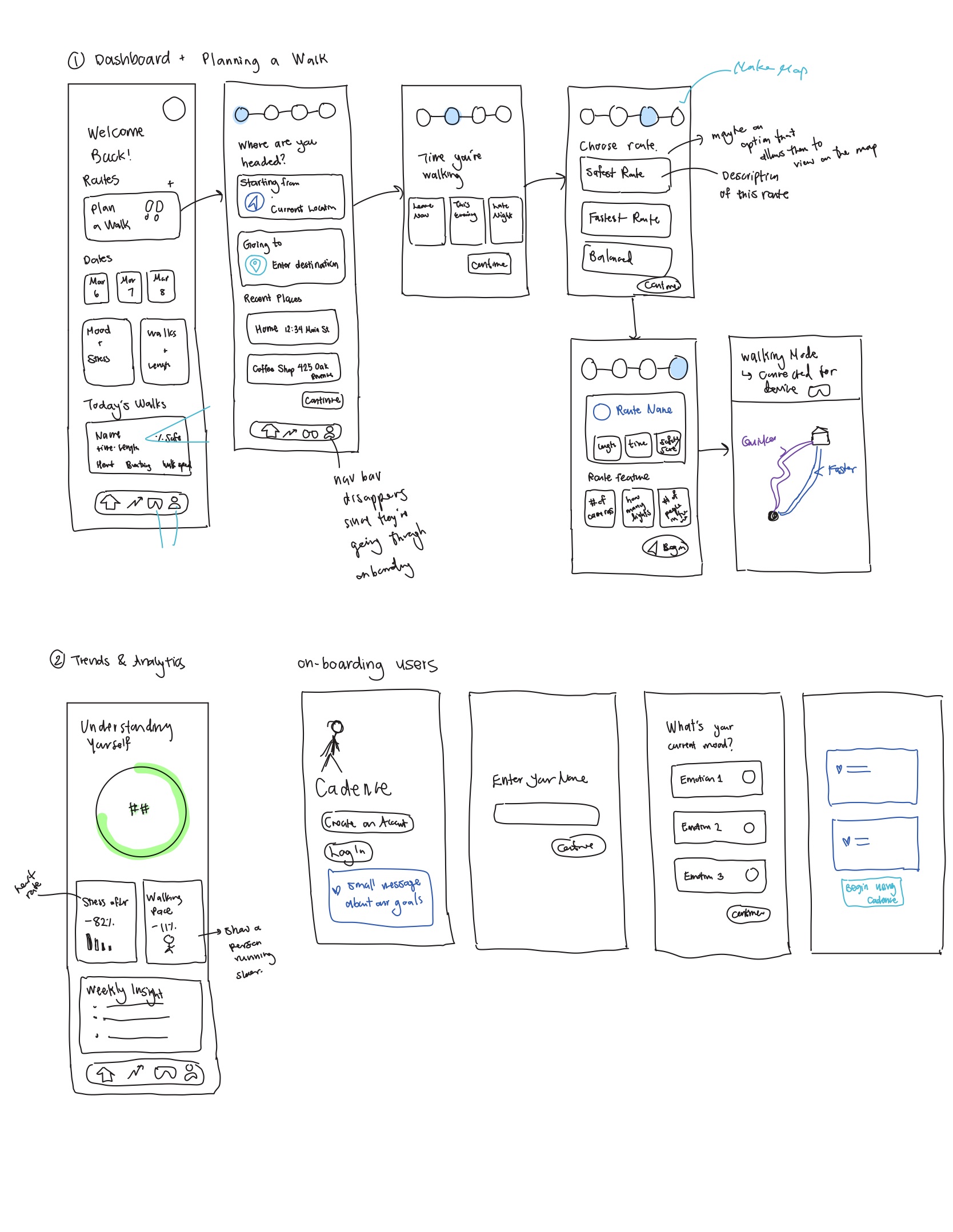
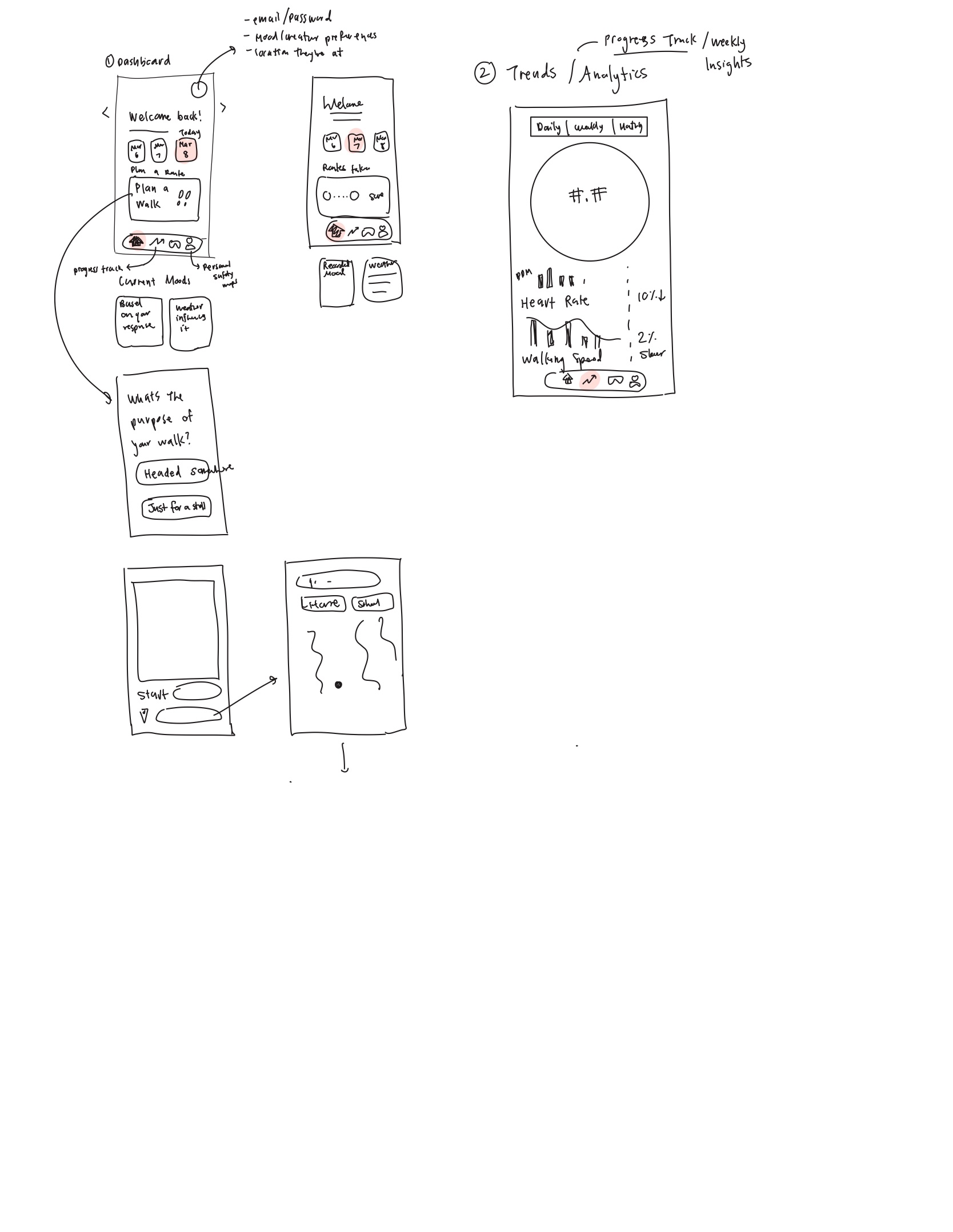
Low fidelity sketches
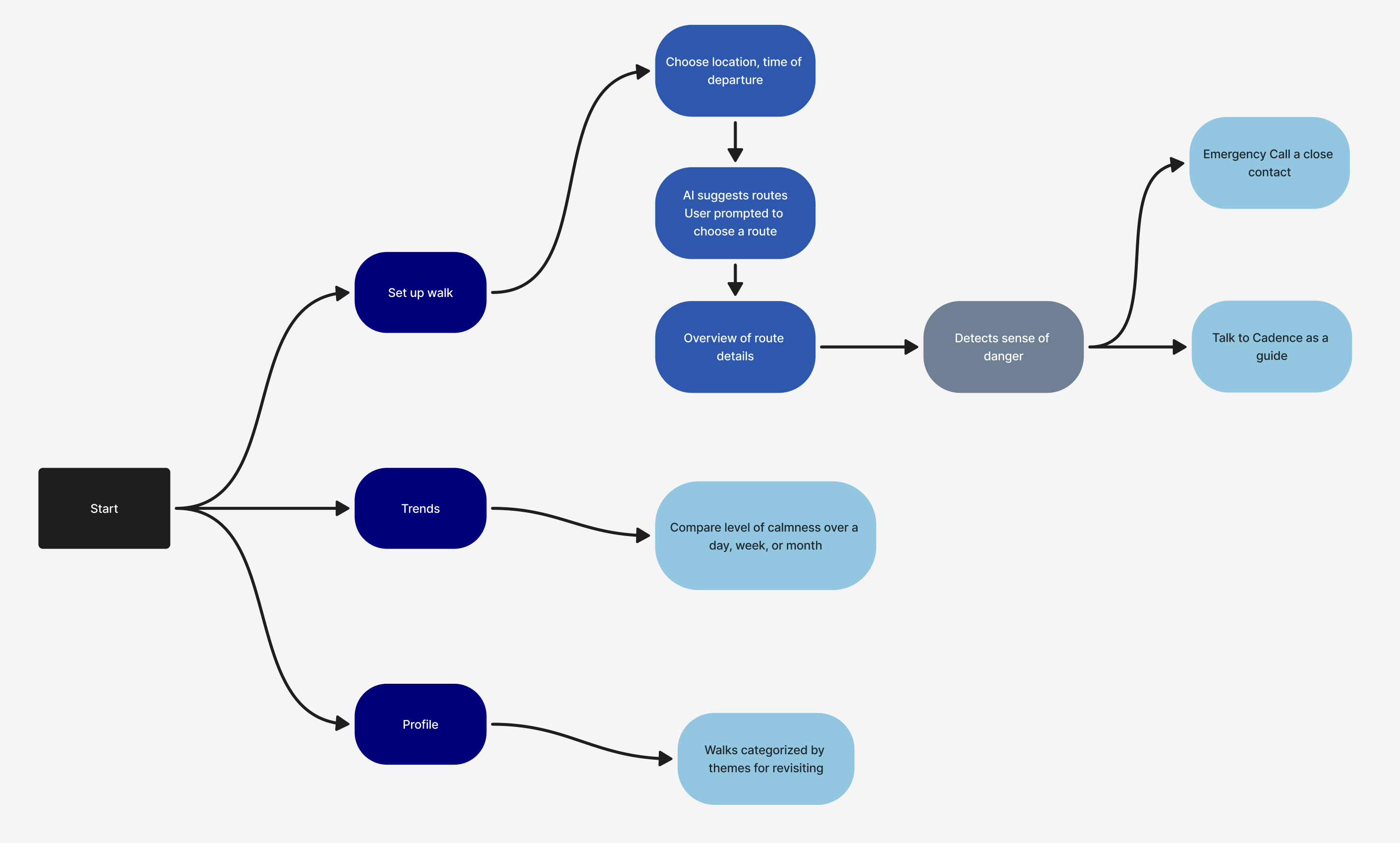
User flow
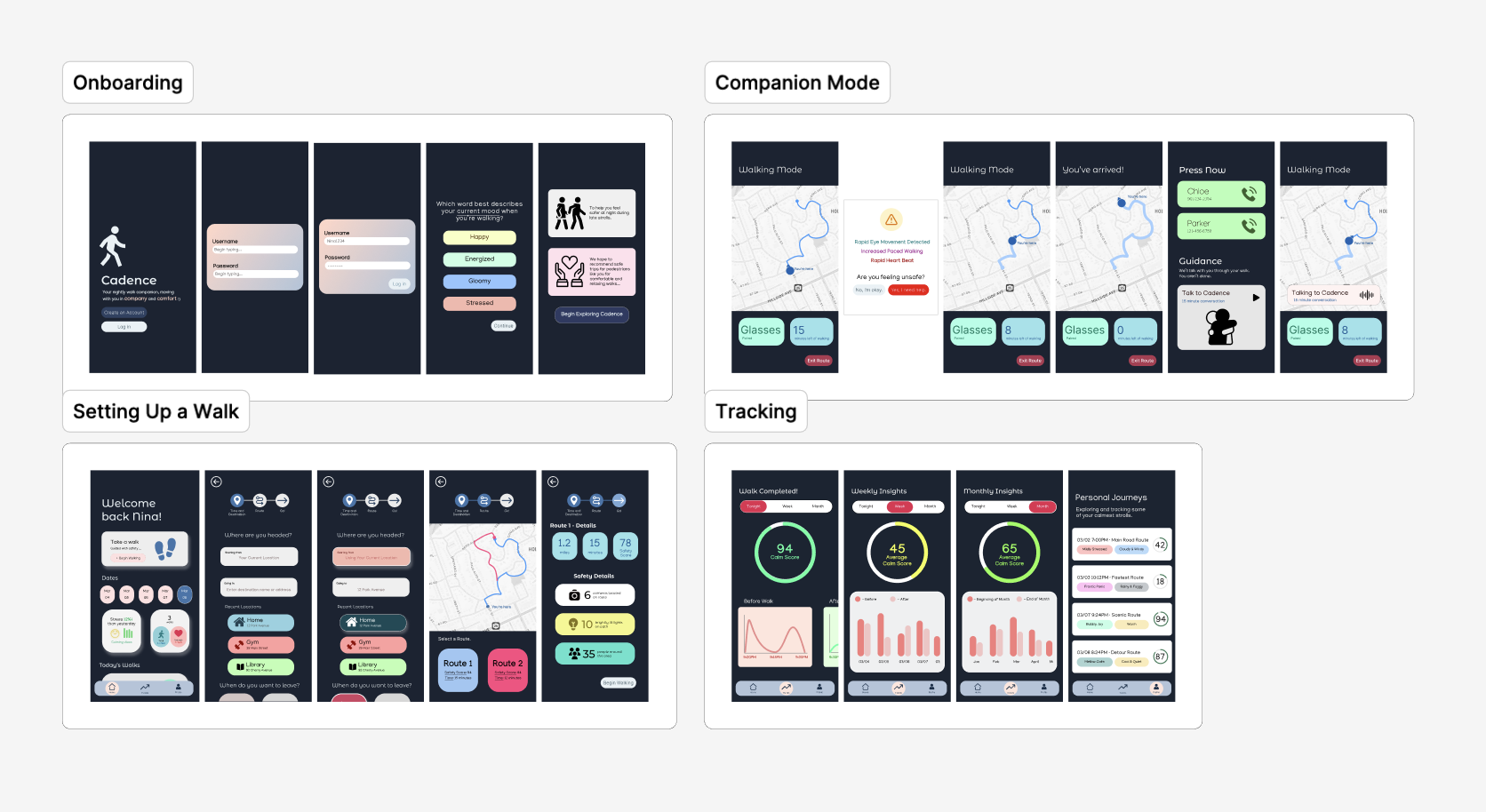
High fidelity mock-ups
The Final Product
Testing whether our design choices address user needs.
Bringing these ideas to life with code.
Distinguishing our product with clearer visual representation
Reflection
Collaboration under time pressure: every decision was made after careful negotiation to adapt and accept changes to eventually align on a shared concept when ideating.
User empathy: understanding the user behaviors and needs as motivation for our design; allowing us to create intentional designs.
Rapid prototyping: recognizing that a plan is essential time optimization. Refining, building, and not forgetting the details that don't get lost when iterating at a rapid pace.